API integration
The Data API gives read-only HTTP access to RD Analytics results so you can feed ETL pipelines, BI tools, or custom dashboards. You pull locations, sources, scans, tracks, and metrics — you do not start or stop scan processing through this API.
What you can do
| Use case | Typical endpoints |
|---|---|
| Discover what exists on the server | GET /data/assets |
| Export vehicle/object tracks for a scan | GET /data/scans/{scanId}/tracks or streaming/async export |
| Pull time-series metrics (density, speed, dwell, headway, queue, …) | GET /data/scans/{scanId}/metrics |
| Resolve class labels used in reports | GET /data/class-groups |
Write operations (create sources, run scans, edit geometry) stay in the web UI (or the authenticated application API). The Data API is intentionally read-only.
Base URL
Set RDA_API_BASE_URL to the full API root on your server, including the API prefix:
# Typical install (default port 9006)
export RDA_API_BASE_URL=https://analytics.example.com:9006/api

# Some deployments use a versioned prefix
export RDA_API_BASE_URL=https://analytics.example.com:9006/api/v1
All paths in this section are relative to that base. For example, assets are:
GET $RDA_API_BASE_URL/data/assets
Ask your administrator for the correct host, port, and prefix.
Authentication
Every Data API request needs:
Authorization: Bearer <token>
API key (recommended for integrations)
Machine-to-machine access. Create keys in the UI:
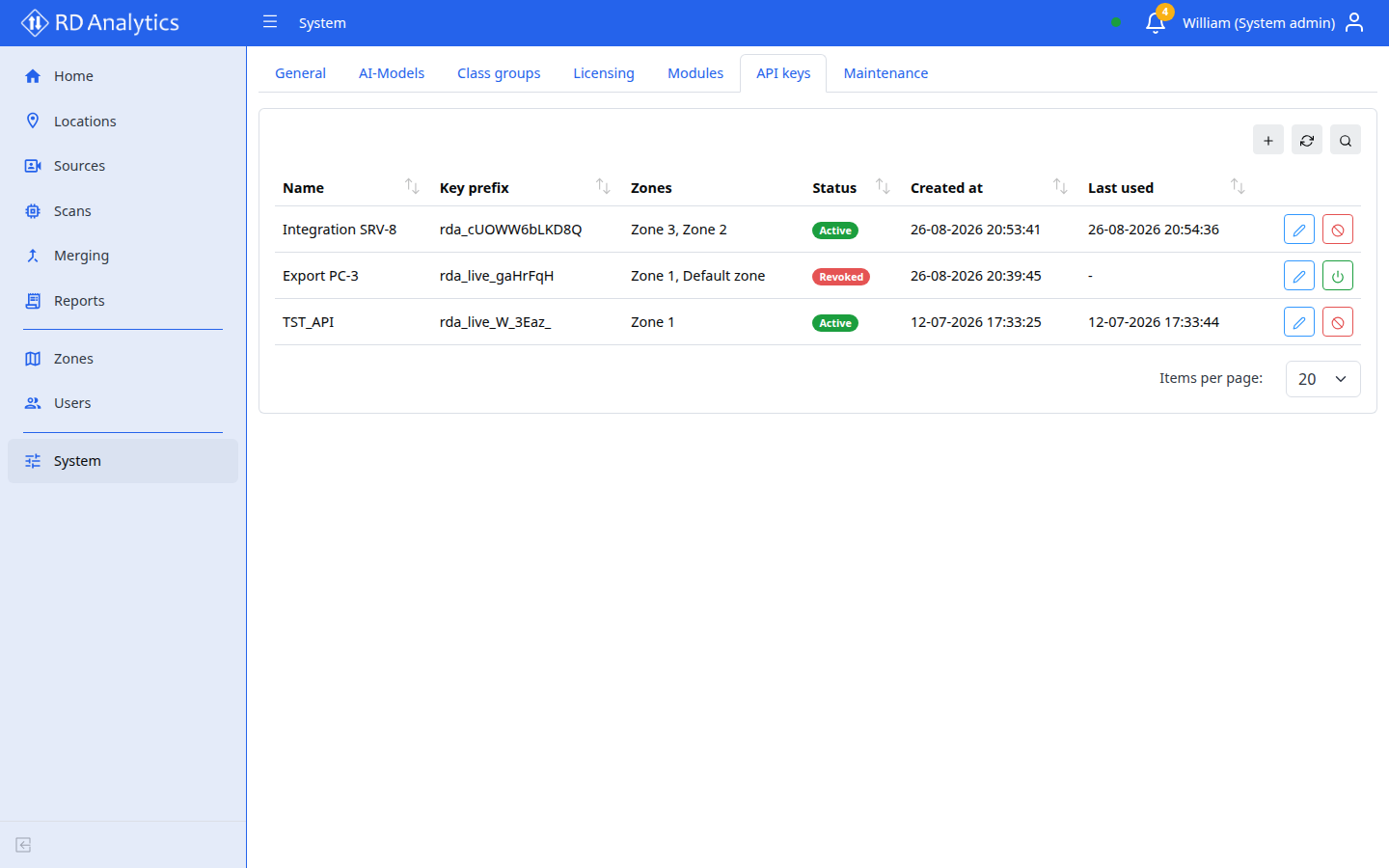
- Sign in as System admin.
- Open System → API keys (license feature
multi_userrequired to create keys). - Add a key with a Name and at least one Zone.
- Copy the full secret (
rda_…) from the one-time modal — it is never shown again.
export RDA_API_KEY=rda_…
curl -s -H "Authorization: Bearer $RDA_API_KEY" \
  "$RDA_API_BASE_URL/data/assets" | jq .
| Detail | Meaning |
|---|---|
| Scope | Read-only; only locations, sources, and scans in the key’s Zones |
| Outside zone | HTTP 403 FORBIDDEN |
| Revoked or wrong key | HTTP 401 UNAUTHORIZED |
See API keys for revoke / re-enable in the UI.
JWT (optional, interactive testing)
For ad-hoc tests you can use a user session token from POST /api/auth/login with { "email", "password" }. Zone rules match that user’s UI access. Prefer API keys for unattended jobs.
Quick start (end to end)
Replace placeholders with values from your deployment.
export RDA_API_BASE_URL=https://analytics.example.com:9006/api
export RDA_API_KEY=rda_…

# 1) List locations → sources → scans you can access
curl -s -H "Authorization: Bearer $RDA_API_KEY" \
  "$RDA_API_BASE_URL/data/assets" | jq .

# 2) Copy a scan id from the assets response, then list tracks
export SCAN_ID=64f0a1b2c3d4e5f678901234
curl -s -H "Authorization: Bearer $RDA_API_KEY" \
  "$RDA_API_BASE_URL/data/scans/$SCAN_ID/tracks?limit=100" | jq .

# 3) Pull density metrics for the same scan
curl -s -H "Authorization: Bearer $RDA_API_KEY" \
  "$RDA_API_BASE_URL/data/scans/$SCAN_ID/metrics?domain=density&series_kind=total&limit=100" | jq .
How to find SCAN_ID: call /data/assets, open a location, then a source, then take the scan’s id (or _id) field. Only COMPLETED scans typically have useful track/metric data.
Common errors
| HTTP | Code | Meaning | What to check |
|---|---|---|---|
| 401 | UNAUTHORIZED |
Missing, invalid, or revoked token | Key copied fully? Key still Active? |
| 403 | FORBIDDEN |
Resource outside your zones | Key zones include the scan’s location? |
| 404 | NOT_FOUND |
Unknown scan, track, or export job | Id from assets? Job finished? |
| 400 | — | Bad query params | Time range, domain, or cursor format |
Example error body:
{ "code": "INVALID_ID", "detail": "Invalid scan_id" }
Next
- Data API reference — endpoints, parameters, pagination, exports, and curl recipes
- API keys (System UI)
- Class groups — labels that appear on tracks
- Installation — host, port, and
/apiprefix