Reports
Reports are interactive dashboards built from widgets (tables, charts, filters, images). Data comes from Scan results for a selected time range.
Who uses this
- Engineers and System admins create and edit reports.
- Viewers open reports in read-only mode.
- Report consumers use View mode with Apply to refresh data. Optional: Merged scans mode with a completed merge.
Before you begin
- At least one scan with COMPLETED status (or a completed merge for merge mode).
- Optional: Class groups configured for grouped class labels.
Key concepts
| Term | Meaning |
|---|---|
| View | Report viewer — widgets, filters, Apply |
| Details | Name and description metadata |
| Widget | One visual or control on the grid (table, list, charts, filters, total, …) |
| Apply | Refresh data widgets with current filters and time range |
| Counts / Metrics | Table and line-chart Data source: event counts vs scene metric domains (density, speed, dwell, headway, spacing, queue) |
| Merged scans | Toolbar mode that loads merge results instead of a single scan |
| Edit layout | Drag, resize, add/remove widgets; Save persists layout |
Reports list
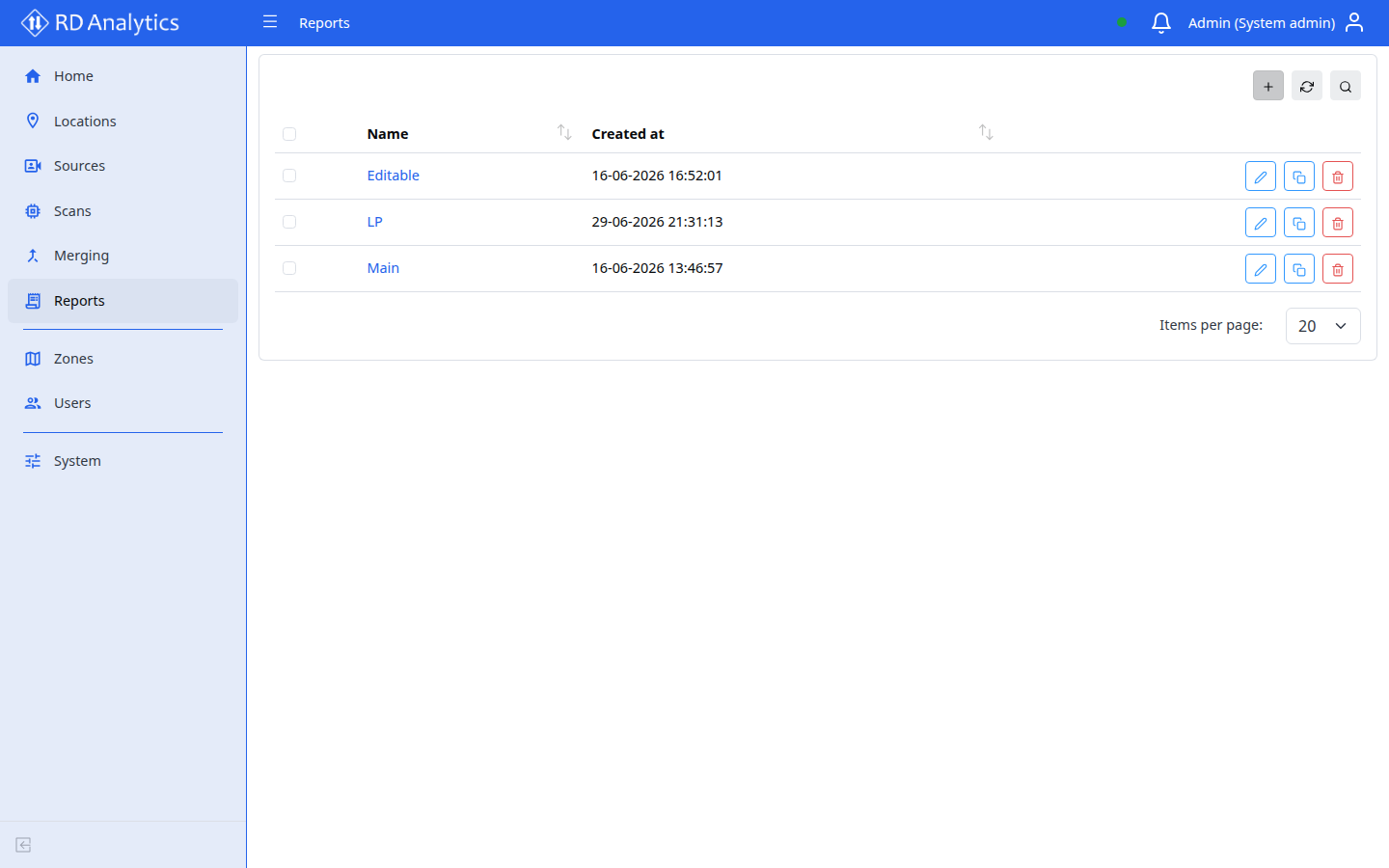
The Reports page lists all report definitions.
Table columns
| Column | Description |
|---|---|
| Name | Sortable; row click opens viewer |
| Created at | Sortable timestamp |
| Action | Edit, Clone, Delete |
Default sort: Name ascending. Page size: 20.
Toolbar
Add new, Search, Reload, Delete selected (with confirmation).
Row actions
| Action | Result |
|---|---|
| Edit | Opens report details (name and description) |
| Clone | Modal Clone report |
| Delete | Confirmation modal |
Row click opens the report viewer.
Create a report
- Select Add new.
- Enter Name (required) and Description.
- Select Save — navigates to the view page to add widgets.
Clone report modal: Name (default {{name}} (copy)), Description.
Edit report details
The report details page edits metadata only — not the widget layout.
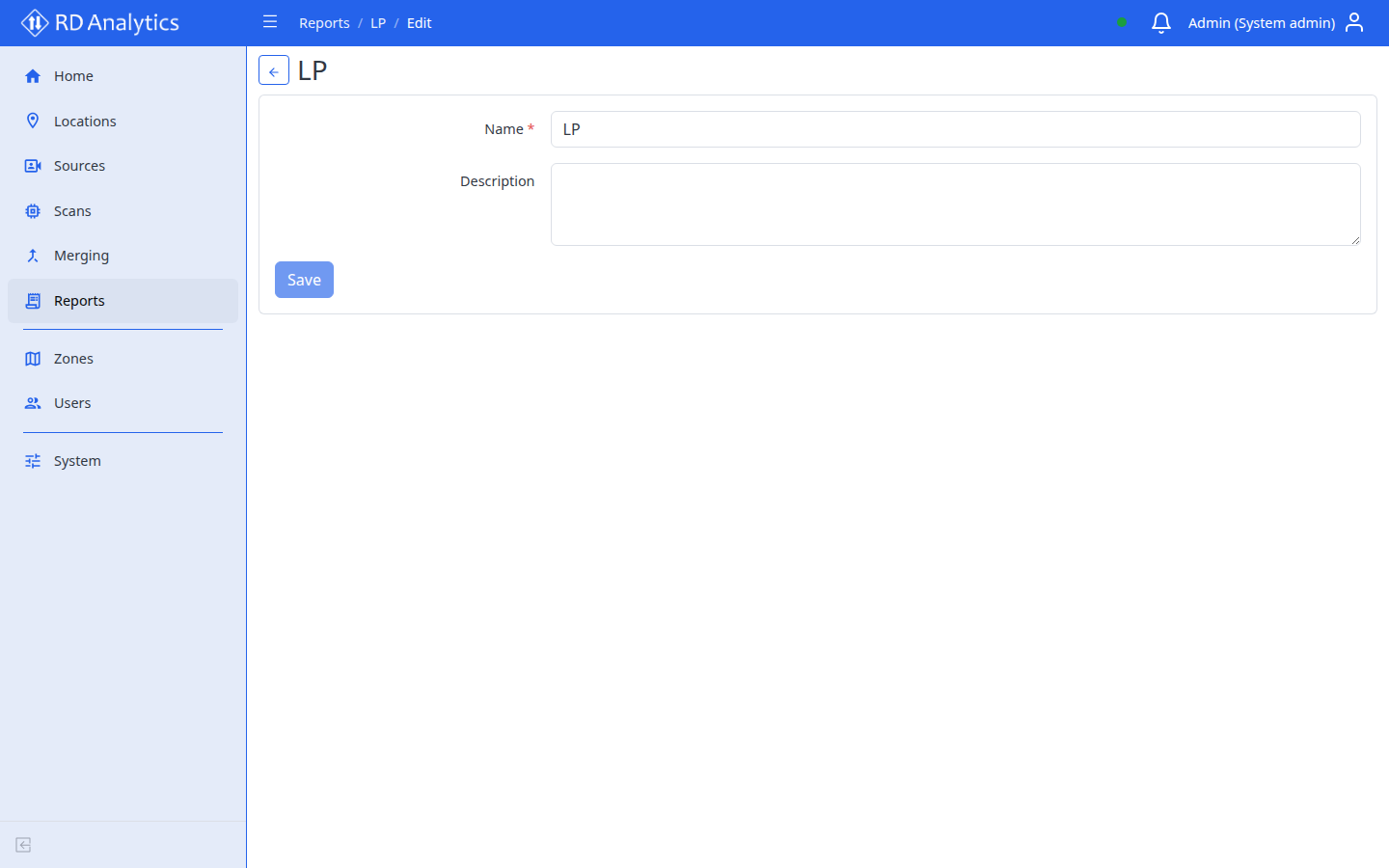
Open details from the list Edit action (or from the report when a details view is available).
| Field | Required |
|---|---|
| Name | Yes — validation Name is required. |
| Description | No |
Save is enabled when the form is dirty and name is non-empty (Saving… during request). Success: Saved successfully.
Common tasks
- View a report — toolbar, Apply, export
- Edit layout and add widgets