Video, timeline, and preview
The left side of the scan configuration page shows live or file-based video preview, overlays, and timeline navigation ( DRAFT status only).
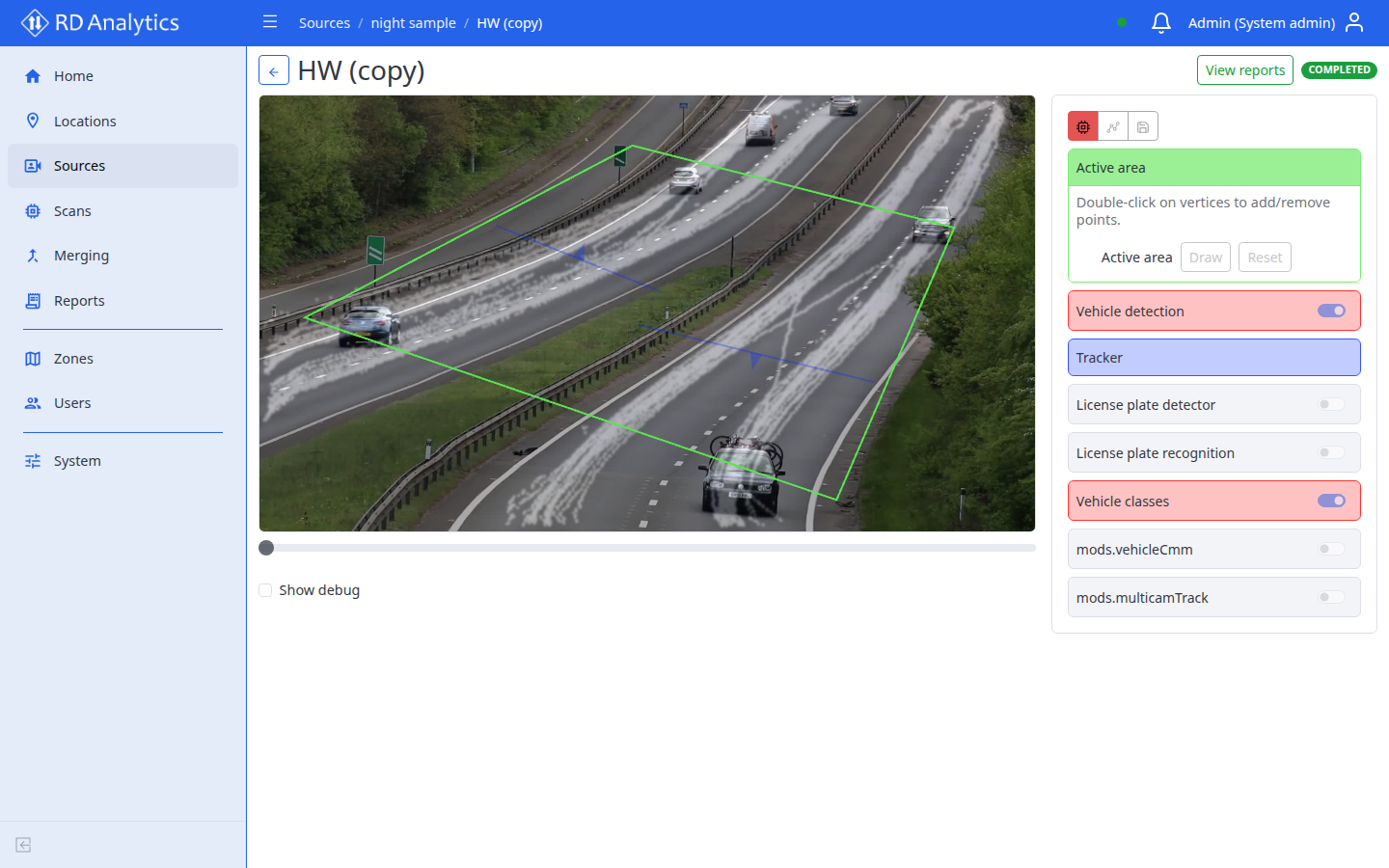
Video viewport
- Canvas shows the current frame with optional overlays.
- Zoom and pan on the stream.
- Interactive scene editor for drawing geometry on top of video.
Playback controls (DRAFT)
| Control | Label / action |
|---|---|
| Display settings | Overlay layers: Bounding boxes, Movement paths, OSD events |
| Heatmap | Show heatmap / Hide heatmap |
| Transport | Play / Pause, Step forward |
| Time | current / duration display |
Keyboard shortcuts (when page focused, not in a text field)
| Key | Action |
|---|---|
| Space | Play / Pause |
| ← / → | Step one frame |
| Shift + ← / → | Jump ±30 seconds |
Timeline navigator
- Seek slider along the footage duration.
- Live edge label for live camera sources.
- Disabled when scan is not DRAFT or no stream is available.
Debug information
Enable Show debug to see current time, timeline range, overlay count, stream connection, and codec/resolution.
Warnings and messages
| Message | Meaning |
|---|---|
| Video stream endpoint is not available yet. | Preview not ready; wait or check source |
| Waiting for preview frame... | Stream connecting |
| Stream: {state} | Connection state detail |
| Video player error | Player failed to render |
Pipeline errors
Red alert Pipeline error: with message when processing fails. Same information may appear on the scan list status tooltip when FAILED.