Source details
The Details tab is the default view when you open a source. It shows metadata, preview, frame transform options, and file/video information.
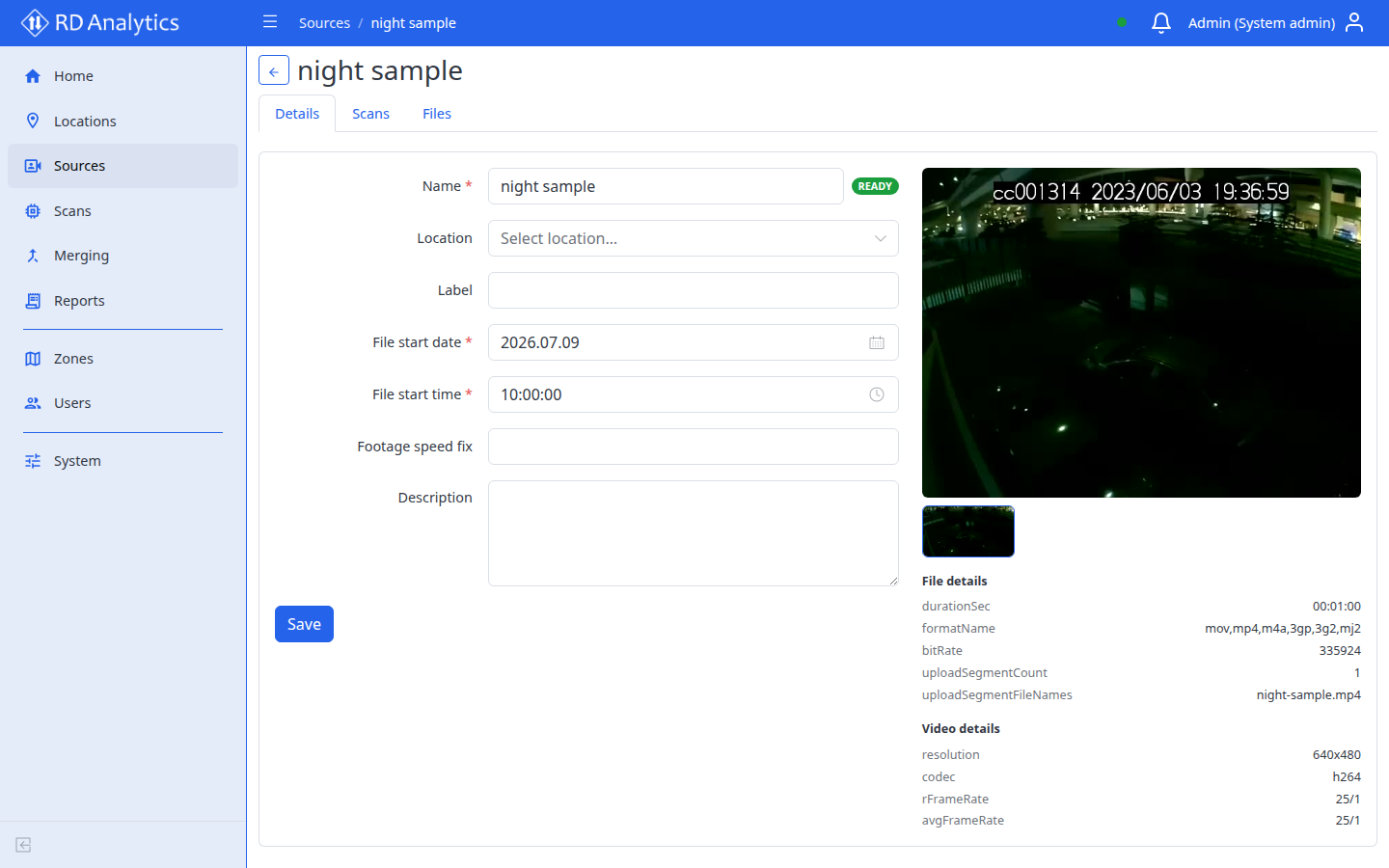
Tabs on the source page
| Tab | Purpose |
|---|---|
| Details | Edit source metadata, transforms, and preview |
| Scans | Scans for this source |
| Files | Stored media files |
Details tab — editable fields
| Field | Required | Notes |
|---|---|---|
| Name | Yes | |
| Location | No | Link to location details |
| Label | No | |
| File start date | Yes | Must be set correctly before you can create a scan. Usually taken from the on-screen date in the video OSD |
| File start time | Yes | Must be set correctly before you can create a scan. Usually taken from the on-screen time in the video OSD |
| Footage speed fix | No | Important: Change this only when the file plays at the wrong speed. Example: OSD shows 1 hour of footage, but durationSec in File details reports 0.5 hours — set Footage speed fix to 2. Formula: OSD duration ÷ metadata duration |
| Rotate | No | None, 90° clockwise, 90° counterclockwise, or 180°. Applied when reading frames. Use when the camera recorded the video rotated |
| Width (px) / Height (px) | No | Optional resize after rotate. Set both values, or leave both empty to keep the original size. Use when the camera recorded the video skewed |
| Description | No |
Read-only sections
| Section | Content |
|---|---|
| Status | Badge with current source status |
| Preview | Thumbnail gallery; open fullscreen preview |
| File details | Metadata from stored files |
| Video details | Resolution and technical properties |
Select Save after editing. Toast: Saved successfully.
Delete or archive a source
Use row Delete on the Sources list (or bulk Delete selected).
The confirmation modal explains:
- Archive (default): Removes source video files to free disk space, but keeps completed scans and reports.
- Delete (with checkbox): Permanently removes the source and all related scans and reports…
Checkbox: Also delete related scans and reports
Confirm with Archive or Delete depending on your choice.