Class groups
Tab: System → Class groups.
Detectors in a scan output raw class names from the AI models (for example car, truck, bus, motorcycle). Those technical names are fine for processing, but reports and filters are easier to use when related classes are shown as one friendly category.
Class groups let you bucket those raw names into named groups with a label and color. Reports then show your labels (and colors) instead of every detector name separately — for charts, totals, filters, and legends.
Example:
| Raw detector classes | Class group label |
|---|---|
car, van |
Light vehicles |
truck, bus |
Heavy vehicles |
bicycle, motorcycle |
Two-wheelers |
Without at least one saved group, class-based report widgets and filters that rely on groups are not fully available (the UI warns that class groups are not configured yet).
Unassigned class names still appear in reports under their own raw label.
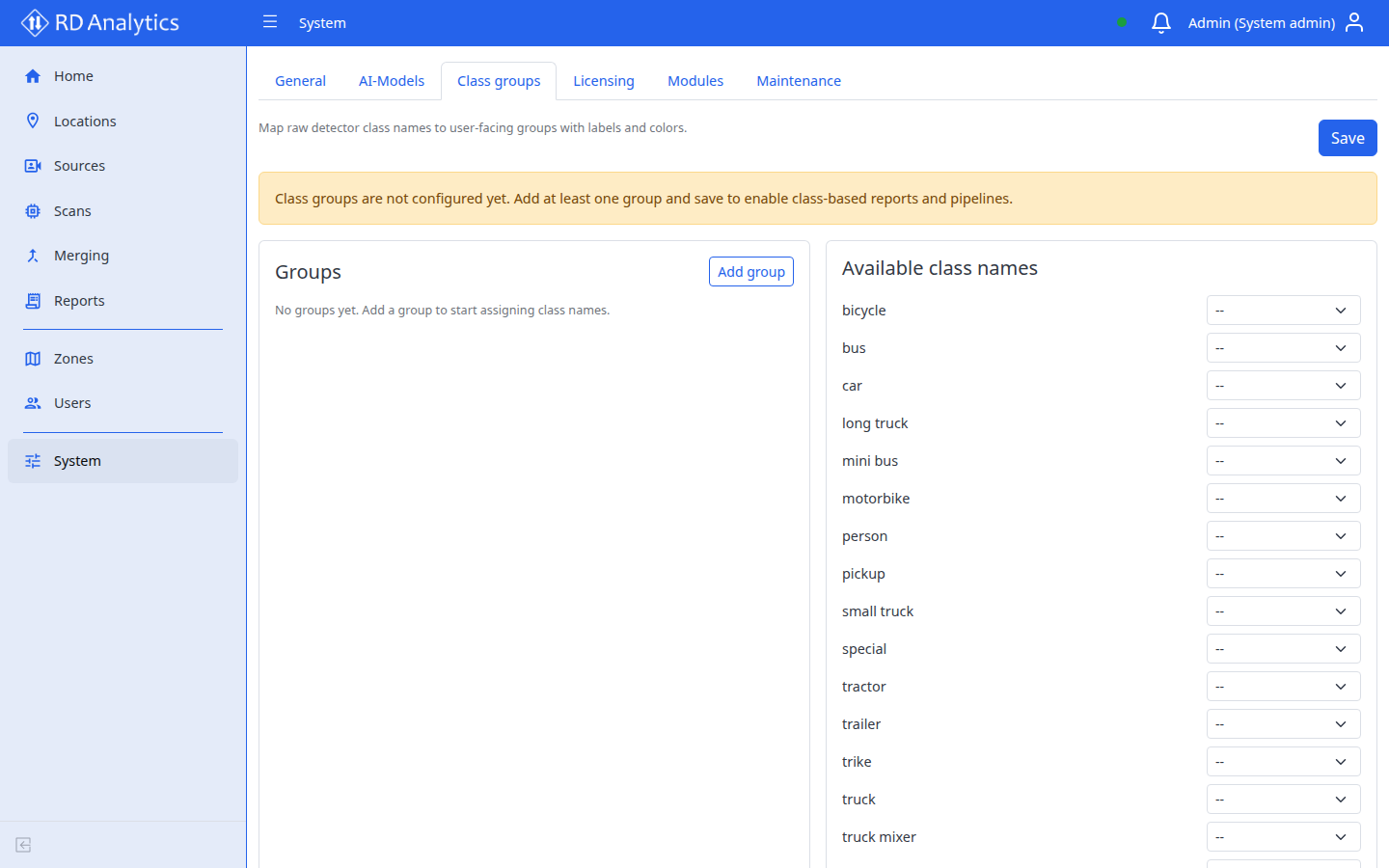
Panels
| Panel | Purpose |
|---|---|
| Groups | Define groups with id, label, color, members |
| Available class names | Vocabulary from installed modules |
| Preview legend | Shows how labels appear — Add groups to preview… |
Group fields
| Field | Rules |
|---|---|
| Group id | Required, unique — Group id is required. / Group id must be unique. |
| Label | Required — shown in reports (Label is required.) |
| Color | Display color in reports and legends |
| Members | Raw class names assigned to this group |
Actions
- Add group / New group
- Drag to reorder groups
- Delete group — confirm Delete group "{{label}}"?
- Assign class: Assign {{className}} / unassigned
-- - Unassigned: {{count}} — Unassigned names appear in reports under their own label.
Save when valid — Fix validation errors before saving.