Scan statuses
Statuses shown on the Scans list and scan configuration page.
Lifecycle statuses
These values are stored with the scan and change as you configure and run processing.
| Status | Meaning |
|---|---|
DRAFT |
Configuration in progress; editable (AI processing, geometry, outputs) |
PENDING |
Ready to queue — start processing from the list or config page |
QUEUED |
Waiting for engine capacity |
PROCESSING |
Engine is actively processing |
COMPLETED |
Processing finished successfully — ready for reports |
FAILED |
Processing failed — see lastError / Pipeline error, fix, return to PENDING, retry |
REMOVING |
Delete / cleanup in progress |
REMOVE_FAILED |
Cleanup failed — scan data may be partial |
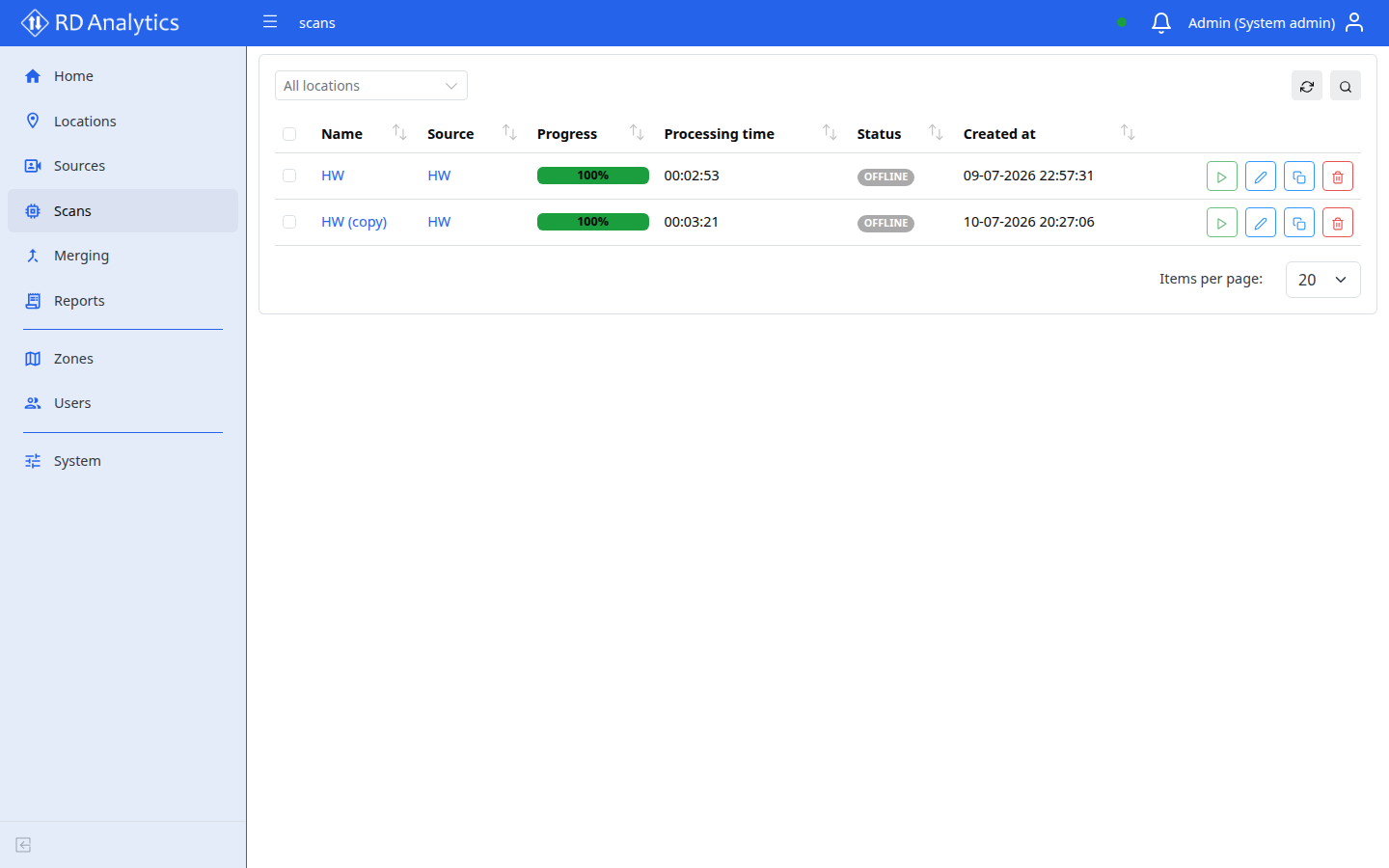
Overlay status: OFFLINE
| Status | Meaning |
|---|---|
OFFLINE |
Not a lifecycle state you set. The Scans list shows OFFLINE when the API cannot talk to the GPU engine (live channels down). The scan’s real stored status is unchanged; fix the engine connection, then refresh. Distinct from a Source being unavailable and from AI-Model OFFLINE. |
Typical workflow
stateDiagram-v2
  [*] --> DRAFT
  DRAFT --> PENDING: Set PENDING
  PENDING --> DRAFT: Back to DRAFT
  PENDING --> QUEUED: Start
  QUEUED --> PROCESSING
  QUEUED --> PENDING: Stop
  PROCESSING --> COMPLETED
  PROCESSING --> FAILED
  PROCESSING --> PENDING: Stop
  FAILED --> PENDING: Fix and retry
  COMPLETED --> [*]
Notes:
- Stop on
QUEUEDorPROCESSINGreturns the scan toPENDING. - Delete flows use
REMOVING/REMOVE_FAILED(not shown above). - List
OFFLINEappears only while the engine is unreachable — it is not a step in this diagram.
Related pages
- Run, stop, and statuses
- Scan failed and video preview
- AI-Models — enable models before processing
- Maintenance — restart web / engine services