Report widget types
Widget type identifiers used when adding instances to a report layout. Display names are from the application UI.
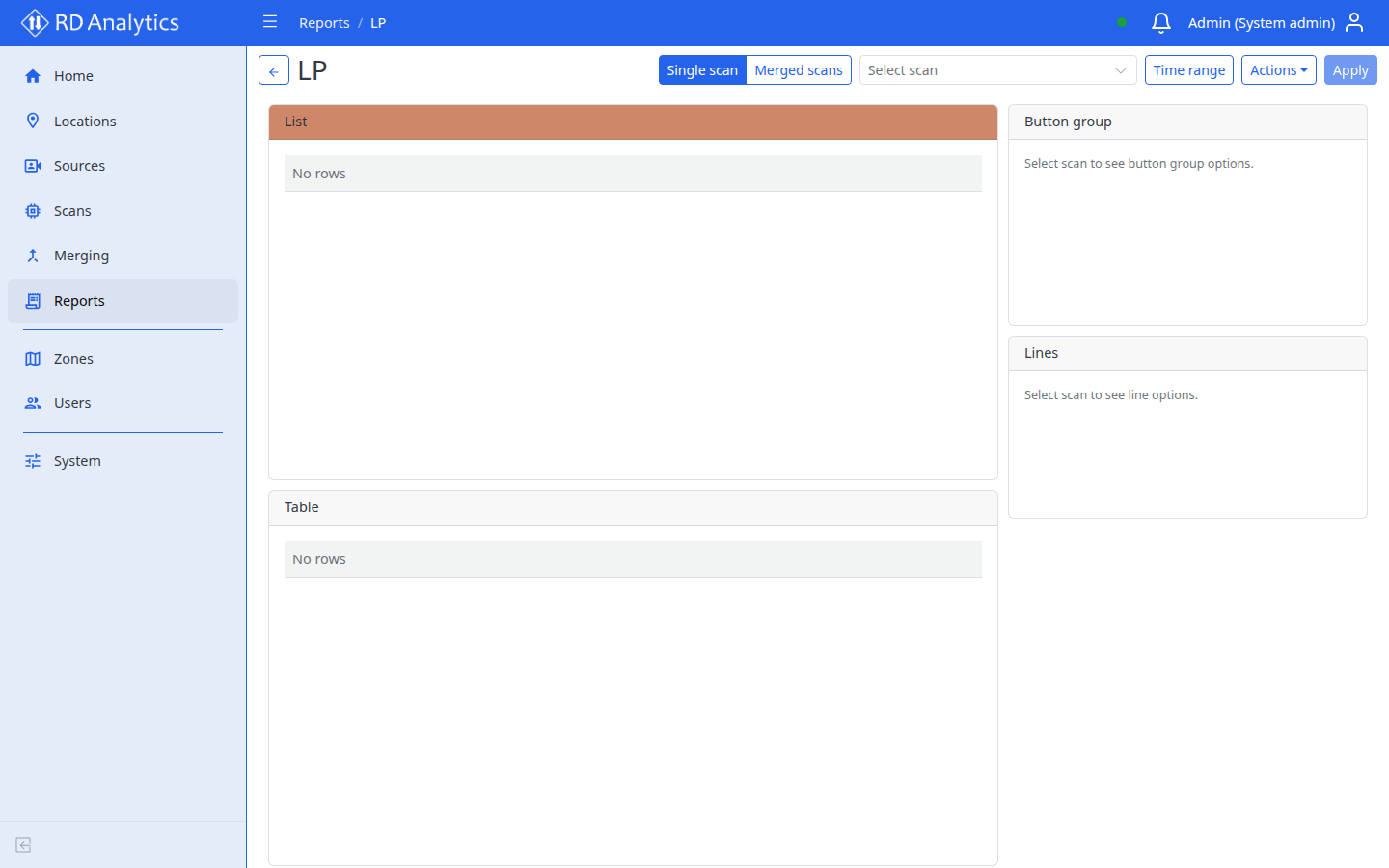
Data widgets
| Type ID | Display name | Purpose |
|---|---|---|
table.data |
Table | Tabular data — Counts or Metrics |
list.data |
List | List presentation; in Merged scans mode shows Track 1 / Track 2 column groups |
list.classGroupEdit |
Class group editor | Paginated editor for track class groups |
chart.line |
Line chart | Time series — Counts or Metrics |
chart.bar |
Bar chart | Bar series (count queries) |
chart.pie |
Pie chart | Proportions (supports donut mode) |
image.scan |
Scene overview | Scan reference / frame images |
stat.total |
Total | Aggregate count for the current Apply state |
Control widgets
| Type ID | Display name | Purpose |
|---|---|---|
controls.filters |
Filters | Attribute filter rules (eq, neq, contains, in) with and/or logic |
controls.lines |
Lines | Counting line selector (needs a scan) |
controls.buttonGroup |
Button group | Exclusive button selection (for example class group) |
Class filtering is typically done with Button group; line first/last with Lines; free-form attribute keys with Filters.
Query options (Table and Line chart)
Table and Line chart share a Data source toggle on the Query tab:
| Data | Meaning |
|---|---|
| Counts | Event-based aggregates (line crossings, class counts, speed bins) |
| Metrics | Time-series metrics from scene modules (density, speed, dwell, headway, spacing, queue) |
Counts
| Field | UI label | Options |
|---|---|---|
| Query | Query | Quantity by line, Quantity by class; table also offers Quantity by speed |
| Interval (minutes) | Interval (minutes) | Bucket width (default 15) |
| Row limit | Row limit | Table only (default 100) |
List widgets use event queries only: Line crossing events or Line crossing events with plates.
Metrics
Requires matching scene geometry on the scan (see Pipeline modules and Geometry editor).
| Field | UI label | Purpose |
|---|---|---|
| Metric domain | Metric domain | Which stored metric series to chart or tabulate |
| Statistic | Statistic | Aggregation over the report interval |
| Grouping | Grouping | Column / series breakdown |
| Interval (minutes) | Interval (minutes) | Bucket width (default 15) |
| Metric domain | Unit | Statistics | Grouping | Source module |
|---|---|---|---|---|
| Density | count | Average, Maximum, Minimum | By element name, By class | Density |
| Speed | km/h | Average, Maximum, Minimum, P50 (median), P85 | By element name, By class | Speed measurement |
| Dwell time | s | Average, Maximum, Minimum | By element name, By class | Zone dwell |
| Headway | s | Average, Maximum, Minimum, P50 (median), P85 | By element name, By class | Headway |
| Spacing | m | Average, Maximum, Minimum, P50 (median), P85 | By element name, By class | Headway (with speed reference line) |
| Queue | count | Average, Maximum, Minimum, Count | By element name | Queue measurement |
| Queue duration | s | Average, Maximum, Minimum, Count | By element name | Queue measurement |
| Queue length | m | Average, Maximum, Minimum, Count | By element name | Queue measurement |
Statistic and grouping dropdowns update to the options allowed for the selected domain. The metric domain field can show a unit hint (for example Unit: km/h).
Bar chart and Pie chart use count-style Query options only (not the Metrics path).
Configuration
Each widget instance has:
| Part | Edited in | Saved when |
|---|---|---|
| Type | Fixed at add time | — |
| Query | Edit widget → Query tab | Save layout on view page |
| Appearance | Edit widget → Appearance tab | Save layout |
Apply on the view page refreshes data only — it does not save layout. Layout Save persists layouts and widget configs (querySettings / appearance).
Related pages
- Edit layout and add widgets
- View a report
- Pipeline modules — scene tools that produce metrics
- Glossary — Apply, widget, Single scan / Merged scans