API keys
Tab: System → API keys.
Manage zone-scoped bearer tokens for the read-only Data API.
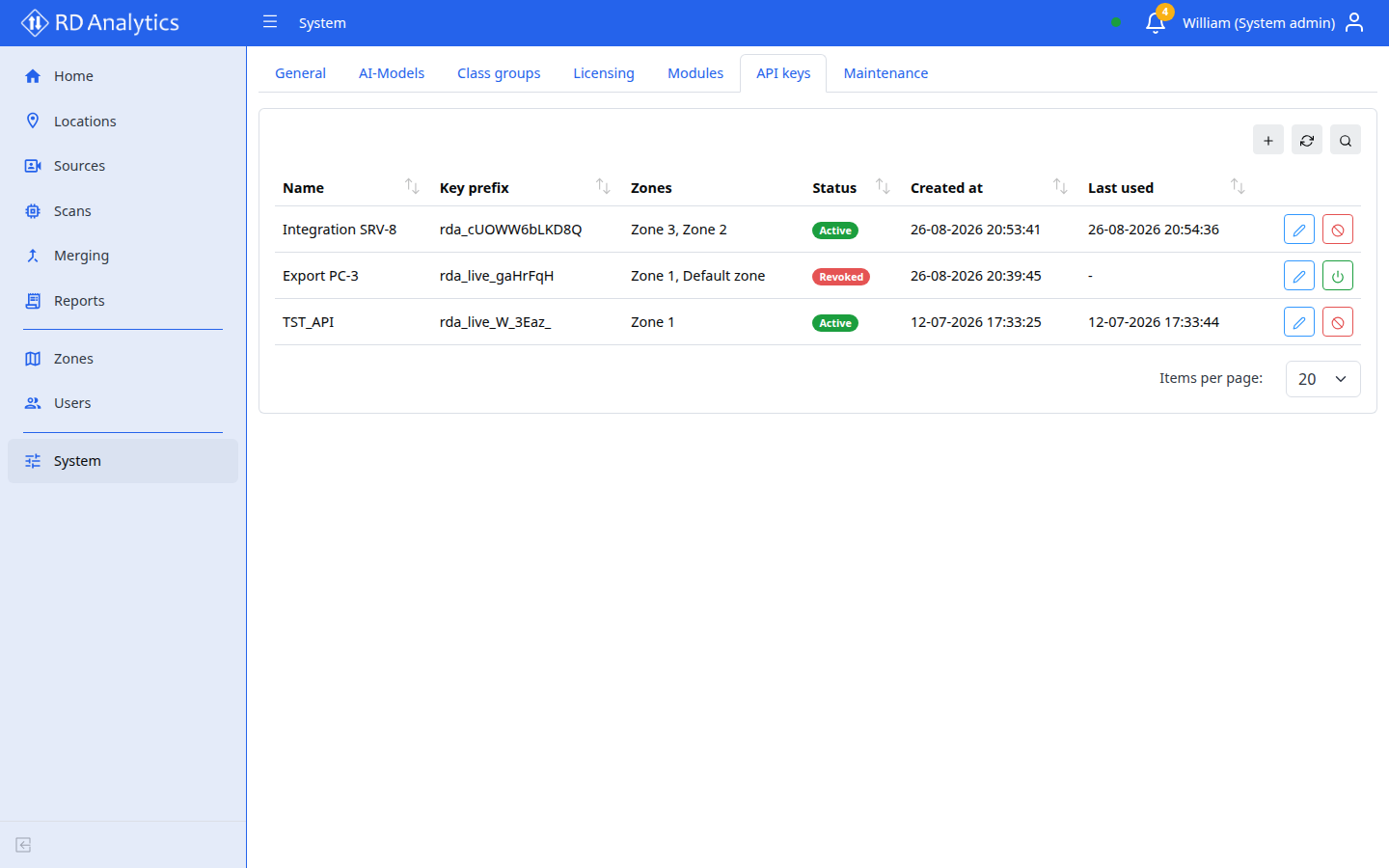
Requires: System admin. Creating a new key also requires the license feature multi_user (see Licensing). Existing keys keep working after a license downgrade.
What keys do
| Item | Detail |
|---|---|
| Use | Authorization: Bearer <full-api-key> on /api/data/* |
| Scope | Read-only access to locations, sources, and scans in the key’s assigned Zones |
| Storage | Full secret shown once at creation; afterward only a short prefix is listed |
Create a key
- Open System → API keys.
- Select Add (or the table create action).
- Enter a Name and select at least one Zone.
- Save. A modal shows the full key with the title Copy your API key.
Warning
This is the only time the full key is shown. Store it securely — you will not be able to view it again.
Acknowledge that you saved the key, then close the modal.
List, edit, revoke, re-enable
| Status | Meaning | Actions |
|---|---|---|
| Active | Key can authenticate | Edit name/zones; Revoke |
| Revoked | Soft-disabled (enabled: false) |
Re-enable |
Revoke confirmation: Revoke this API key? Integrations using it will lose Data API access until it is re-enabled.
Editing never reveals the full secret again — only the key prefix appears in the table.
Troubleshooting
| Problem | What to do |
|---|---|
| Cannot create a key | Confirm your license includes multi_user, or ask your vendor to enable it |
| Integration gets 403 | Check the key’s zones and that the scan’s location is in those zones |
| Integration gets 401 | Key revoked, wrong secret, or typo — create a new key if the secret was lost |
Related pages
- API integration — auth and quick start
- Data API reference
- Licensing
- Zones