Run and monitor merges
Goal: Execute a merge job and check its status.
Requires: Engineer or admin.
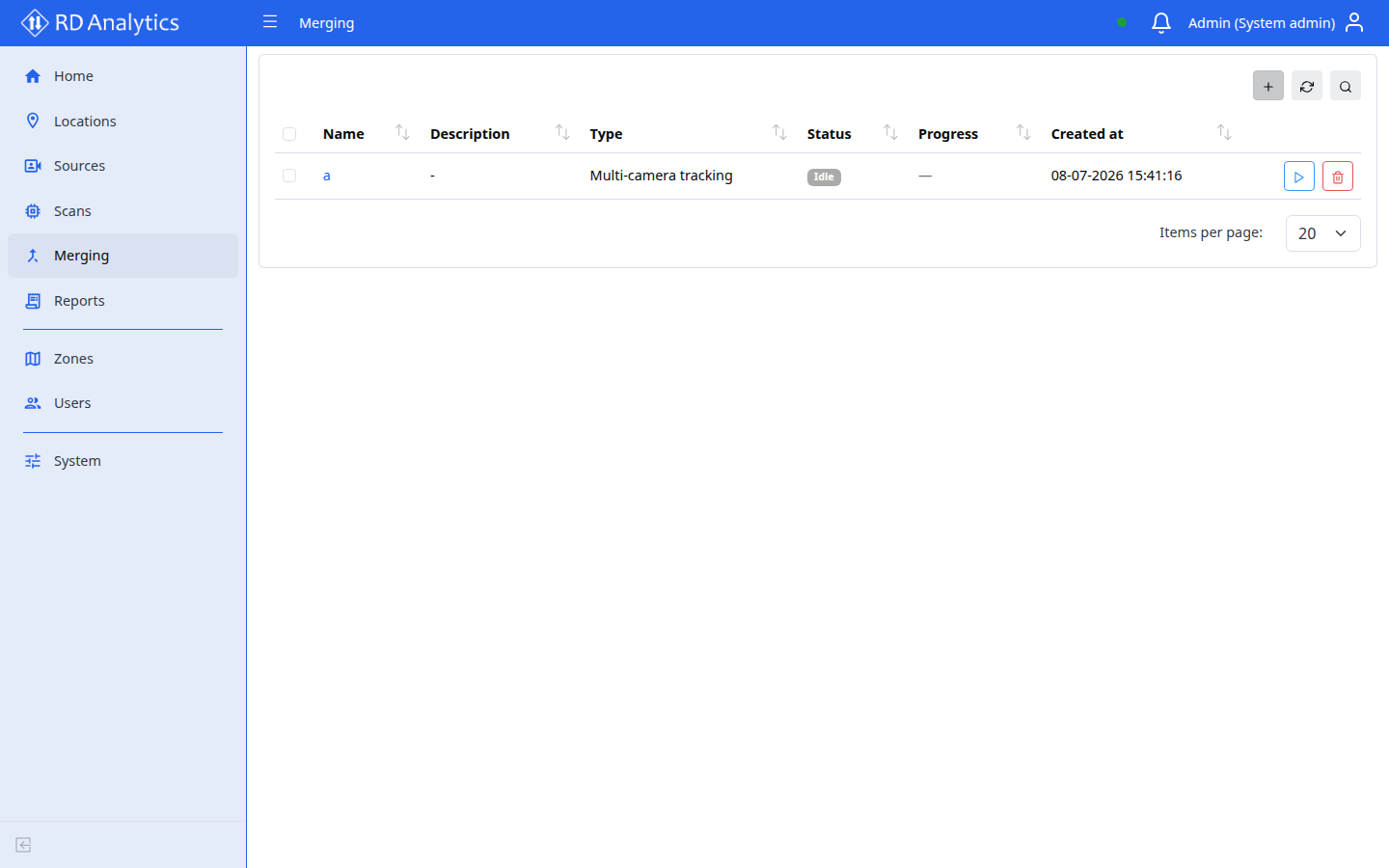
Run a merge from the list
- Open Merging.
- Locate the merge configuration.
- Select the Merge action (play icon) on the row.
- The server runs
POST /merging/{id}/mergeimmediately.
Monitor status
The list table shows:
| Column | Description |
|---|---|
| Name | Merge config name |
| Description | Optional text |
| Status | Current job/status from server |
| Created at | When config was created |
Use Reload to refresh status after running.
Troubleshooting
| Problem | What to do |
|---|---|
| Merge fails silently | Check server logs (administrators) |
| No data after merge | Confirm source scans are COMPLETED |
| Cannot find merge | Use Search on the list |