Scan list
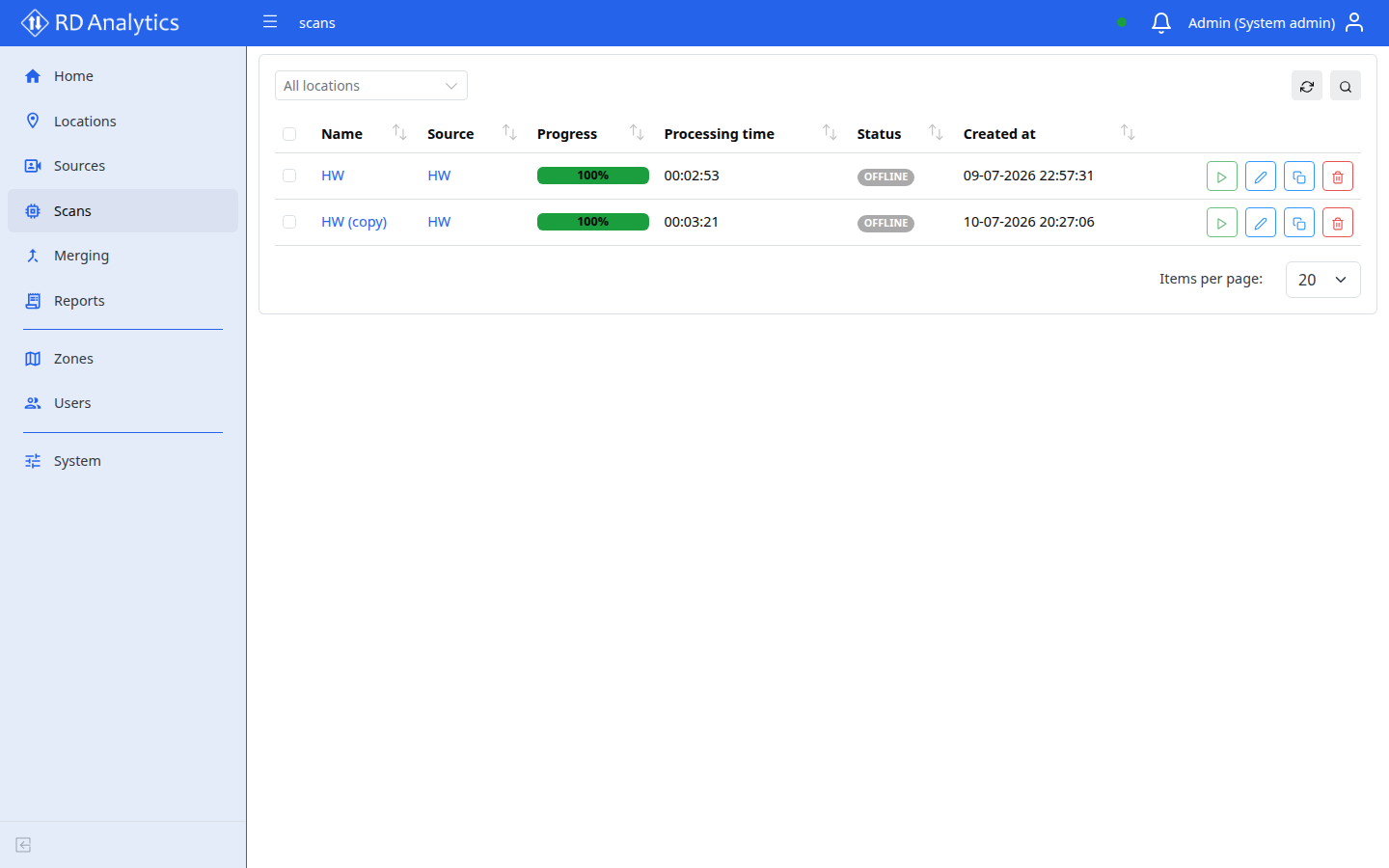
The global Scans page (/scans) shows all scans across sources with filters and run/stop actions.
Note
To add a new scan, open a Source → Scans tab. Add new is not available on the global list.
Table columns
| Column | Description |
|---|---|
| Name | Sortable; click row to open config |
| Source | Link to source details |
| Progress | NN% progress bar while processing |
| Processing time | H:MM:SS elapsed |
| Status | Badge; hover FAILED for error tooltip |
| Created at | Sortable |
| Action | Run/stop, Edit, Clone, Delete |
Default sort: Name ascending. Page size: 20.
Toolbar
| Control | Notes |
|---|---|
| Search | Filter by scan name |
| Reload | Refresh |
| Delete selected | Bulk delete |
| Location filter | Autocomplete — All locations |
Row actions
Same as Source scans tab: Run/stop, Edit, Clone, Delete.
Edit scan modal: Name, Description.
Clone scan modal: Source, Name (default {{name}} (copy)), Description.